Skip to content

šŸ“ Blog

PiG 1 - Soldering Iron Step

so what ? You started the GoloHttpServer, showed something on Raspberry and… nothing ?
Yeah, I know. But c’mon, I still need some sleep and still don’t have 72h days ;)

Last week end, I started the next step in the Little Hardware meets Little Software. yep, I bring back on the desk my soldering iron!

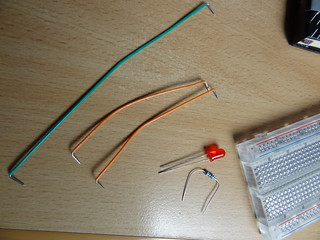
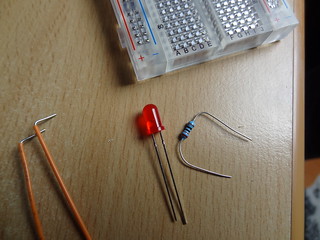
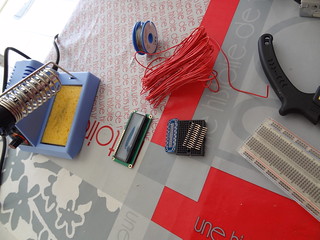
I had to prepare several items:

So everything is in place.

Everything ready!

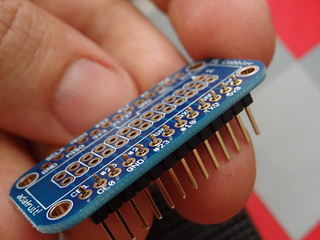
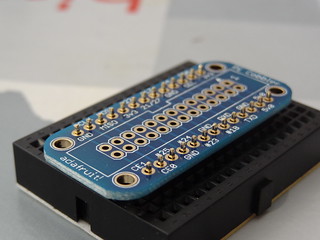
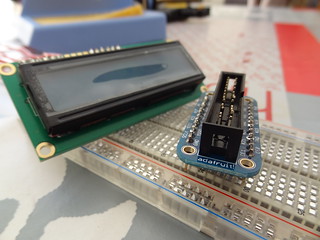
Let’s start by puting the header pins in the cobbler PCB.

cobbler PCB and header pins

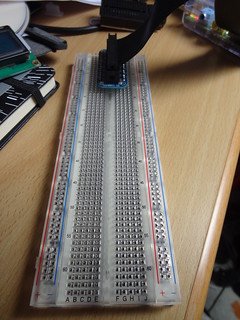
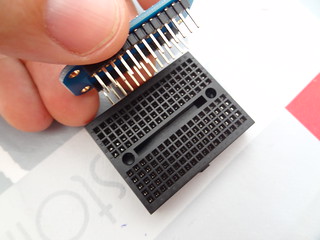
To have something stable, you can use a small breadboard and slot the header pin in it.

use a breadboard to stabilize during solderinguse a breadboard to stabilize during soldering

I didn’t work with a soldering iron for several years… not too bad :)

not that bad after all those years without soldering ;)

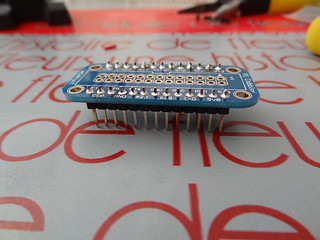
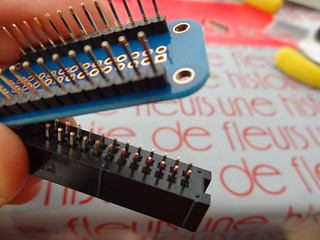
Don’t forget the ribbon cable socket:

ribbon cable socket

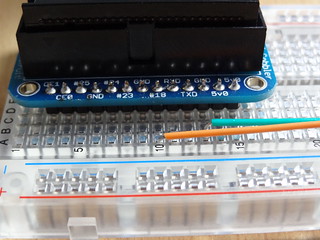
At that point, the cobbler breakout is ready.
Now it’s time to put some wires on the HD44780.

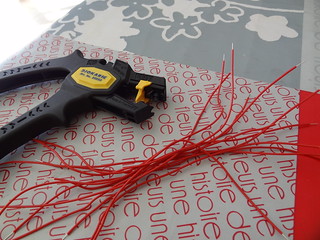
The wire stripper is my best friend when there’s a lot of wire to prepare:

prepare your wires

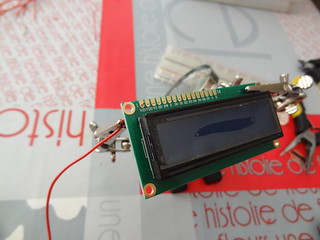
A third hand tool is very helpful to solder the wire to the LCD panel.

use a third hand!

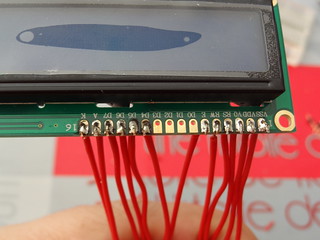
You have to wire pin 1 to 6, then 11 to 16:

1 to 6, then 11 to 16

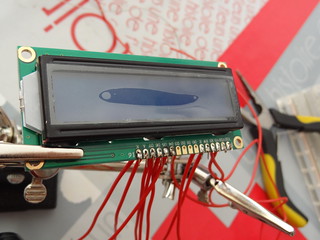
The LCD has now wires. It could be better and I wonder if I won’t try to solder head pins on another LCD:

could be better

Here we go!

Here we go!

At the end, I have now everything to start to work with my Pi!
The next step has already started and I’m running basic piece of code to test the cobbler, the Gpio…
The Gpio and its wonderful pin numbering, guided by a logic that only an advanced Scala user may understand ;)

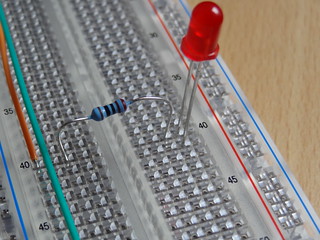
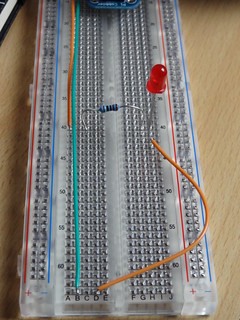
See you soon, with pieces of Golo lang to interact with a small red led on a board :)

Golo on the Raspberry

On the Little experiments desk, there are a lot of Little hardware.
I must admit I have some favorites among them, but don’t tell them ;)

One of them is an Android USB key, MK808B, which allows me to run Android any TV with a HDMI input.
Used with a bluetooth PlayStation keyboard, it’s pure fun.
Unfortunately, Android devices are running a modified JVM called Dalvik which has one major drawback: it’s based on code without invokeDynamic.

What does it mean ?
It means a awful thing: Golo won’t run on it!
I read some work from JĆ©rĆ“me Pilliet about implementing JSR 292 on Dalvik, but it’s a work in progress with no garantee.

So, let it go…
But wait, there’s a second device I really enjoy: my RaspBerry Pi!

In a previous experiment, I ran a Tomcat server on it, so at least Java is running.
And, better than a painful experiment, Golo website itself provides instructions on setting up a running Pi Golo :)
It was for me the opportunity to try also ArchLinux.

The only issue I had was that the root user is unable to log directly on the device: you must connect through SSH, which means knowing the IP address.

I add the modified bin/* files for those who wants them quickly.

Now let’s back to work and see if one of my recent dream may come true: use the Raspberry GPIO to control a HD44780U LCD with Golo.
I know… silly… and I have to publish follow up on the GoloHttpServer… I know ;)

Enjoy your PI Golo!

Golo - Little 4

So, last time I told you I started to write some kind of GoloHttpServer.
In that process (which is still WIP) I had several questions.

One of the first was: a server will receive several requests, I need to launch threads.
I knew how to do that with Java, how to do that with Golo.

The solution I found is based on the below code:

module little.experiment4_1

import java.lang

function run = |number| {
  println ("I am thread "+number)
}

function main = |args| {

  for (var thread_number = 0, thread_number < 4, thread_number = thread_number + 1) {
      let process = java.lang.Thread({run(thread_number)}: to(Runnable.class))
      process: start()
  }
}

That’s nice and I’m sure some of you know how to do it in different ways.
I will enjoy suggestions and comments on this.

But remember, I’m explaining how to build a http server.
Having some threading methods is useful, but we need to receive something from a browser.
Let’s start some game with sockets !

module little.experiment4_2

import java.net.InetAddress
import java.net
import java.lang

function run = |connectedClient| {   
  println ("step after step young padawan. Http answer will be in next article ;)")
}

function main = |args| {
  # create a socket
  let addr = InetAddress.getByName("127.0.0.1")
  let Server = ServerSocket (5000, 10, addr)
  println ("TCPServer Waiting for client on port 5000")

  # just loop until a request, then quit
  # this is for sample purpose of course ;)
  var serverRun = true
  while(serverRun) {
      # get the request
      let clientSocket = Server: accept()
      # launch the process of this request
      let process = java.lang.Thread({run(clientSocket)}: to(Runnable.class))
      process: start()
      # for this sample, just tell we want to stop
      serverRun = false
  }
}

I hope everything is clear with the included comments.
If you have questions, use comments here or send me a note to my email if you prefer.

Golo - Little 3

Ok folks ! First, I hope you didn’t missed the release of Golo.

I hoped to publish some article on the D-day but my daughter had an unplanned trip to hospital.
She’s fine now, I spent some time watching her sleeping.

So, this won’t be a huge post but still hope to introduce you to the coming plans.

What I really like with new languages is that everything has to be discovered.
It is often a moment where you can both use fresh eyes on your way of coding and learn a lot on various topics. Come on, you know what kind of topics…
Those you already should have dug into.
Use this new language as a good reason !

Everyone will choose his own topics.
Philippe CharriĆØre started to digg what Play! framework looks like behind the scene and decided to write his own vision with Golo. (if you don’t understand french, ask him some translation ;) )

But in my case, I first choose to see the internals of a Http server.
Yes, a simple Http server. Something like com.sun.net.httpserver
I will post here the step of what I had to try.

In the meantime, if you already jumped on Golo board, you can have a look to n’Golo aka nano.Golo.
This place will be a sharing space for all Golo users, newbie, seasoned, curious, my mom… ;)
See you soon…

Golo - Little 2

The D-day is coming for Golo and be sure to attend Julien’s talk at Devoxx !

In the meantime, here is a new piece of Golo.

module little.experiment2_1

import java.lang

function functionWithCase = |inputParameter| {
  case {
      when inputParameter == "This value" { println("this value spotted") }
      otherwise { println("otherwise was the answer") }
  }
}

function main = |args| {
  functionWithCase("This value")
  functionWithCase("not something to handle")
}

This illustrate the use of the Golo case word.
As you can see, the case expression is quite simple:
each when is based on a conditionnal expression that will allow the specified code to be executed.

It’s that simple !

But simple doesn’t mean powerless !
Golo allows you to write when conditions with several variables that may have different possible types.
Just look below:

module little.experiment2_2

import java.lang

function otherValue = { println("This value was numeric") }

function functionWithCase = |inputParameter, secondParameter| {
  case {
      when inputParameter == "This value" { println("this value spotted") }
      when secondParameter == "second" { println("second value") }
      when inputParameter == 42 { otherValue() }
      when (inputParameter == "first") and (secondParameter == "second too") { println("both") }
      otherwise { println("otherwise was the answer") }
  }
}

function main = |args| {
  functionWithCase("This value", "second")
  functionWithCase(42, "second")
  functionWithCase("not something to handle", "")
  functionWithCase("first", "second too")
}

That’s it for today folks !
Of course, feel free to contact me and ask question questions.
All comments are welcome here too.

See you when Golo is out ;)